Wadiz Funding Success Guide | How to Create Product Detail Pages and GIFs That Persuade Customers Without Video
Last Updated: August 18, 2026
Verified by Successful Funding Data
How to Create a Product Detail Page
This is helpful for people like this
- For makers making a product detail page for the first time and feeling overwhelmed about where to start
- Makers wondering whether they should include videos on their product detail pages
- Makers wondering where and how to place GIFs for maximum impact
Don’t Miss These Key Points!
- 95% ofprojects that raised over 10 million won used GIFs, and 85%of those placed their first GIF at the top.
- Videos aren’t a must on funding detail pages .
- Before creating your project page, it’s important to start by defining your target audience and your core message in a single sentence.
On a wadiz funding page (Story), what matters most isn’t flashy videos—it’s showing supporters the product’s appeal in a way that makes them want to understand it quickly and make a purchase.In fact, used usedGIFs, and 85% placed the GIFs at the top of their detail pages.
Instead of worrying about video production ,start by deciding who your target audience is and what features to highlight, then clearly demonstrate what sets your product apart using images and GIFs. In this post, we’ll share the page layout strategies used by successful projects.
1. Start with a GIF at the top of the detail page
Supporters decide whether to continue viewing a project within the first three scrolls. At this point, showing the product in action—rather than providing a long description—allows them to understand its appeal much more quickly. In particular, GIFs are especially useful for instantly conveying information that would take a long time to explain in words, such as usage scenarios or before-and-after comparisons.
|
Group
|
Projects that included a GIF in the introduction
|
|
Successfully raised 10 million won or more
|
85% |
|
Success with less than 10 million won
|
60% |
|
Failure
|
32.6% |
In fact, 95% of projects that raised over 10 million won used GIFs on their detail pages, and 85% of those placed them at the top of the page. There was also a noticeable difference in the number of images. Projects with fewer than 20 images on their detail pages had only a 5% chance of raising over 10 million won. Therefore, when preparing your detail page, focus on quickly showcasing the product’s key appeal with plenty of images and GIFs rather than creating a video.
2. Here’s How Successful Projects Started Their Detail Page Introductions
If your brand is not yet well-known, supporters will naturally have various questions as they view the product detail page.
- What exactly is this product?
- Is this a product I need?
- Does it really work as described?
- Can I trust a maker I’ve never heard of before?
- Is there a reason I should participate in funding now?
Therefore, a product detail page is less a space for simply displaying the product attractively and more a space for persuading first-time supporters by answering their questions one by one. At this stage, rather than showcasing all the product’s strengths at once, it’s important to first capture their attention with your strongest selling point and then present the necessary information step by step. We’ve categorized the introductions frequently used in actual successful projects into three types.
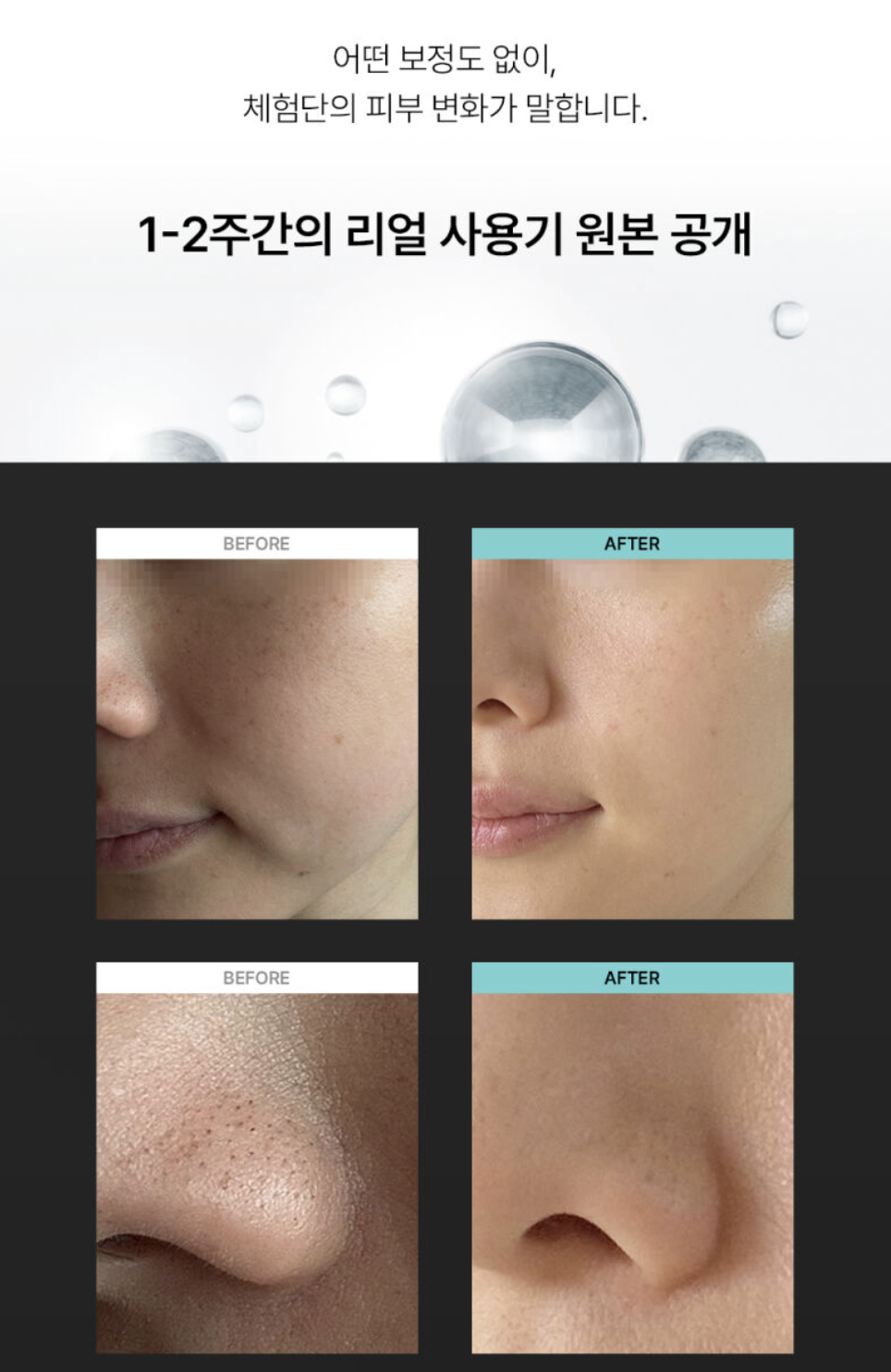
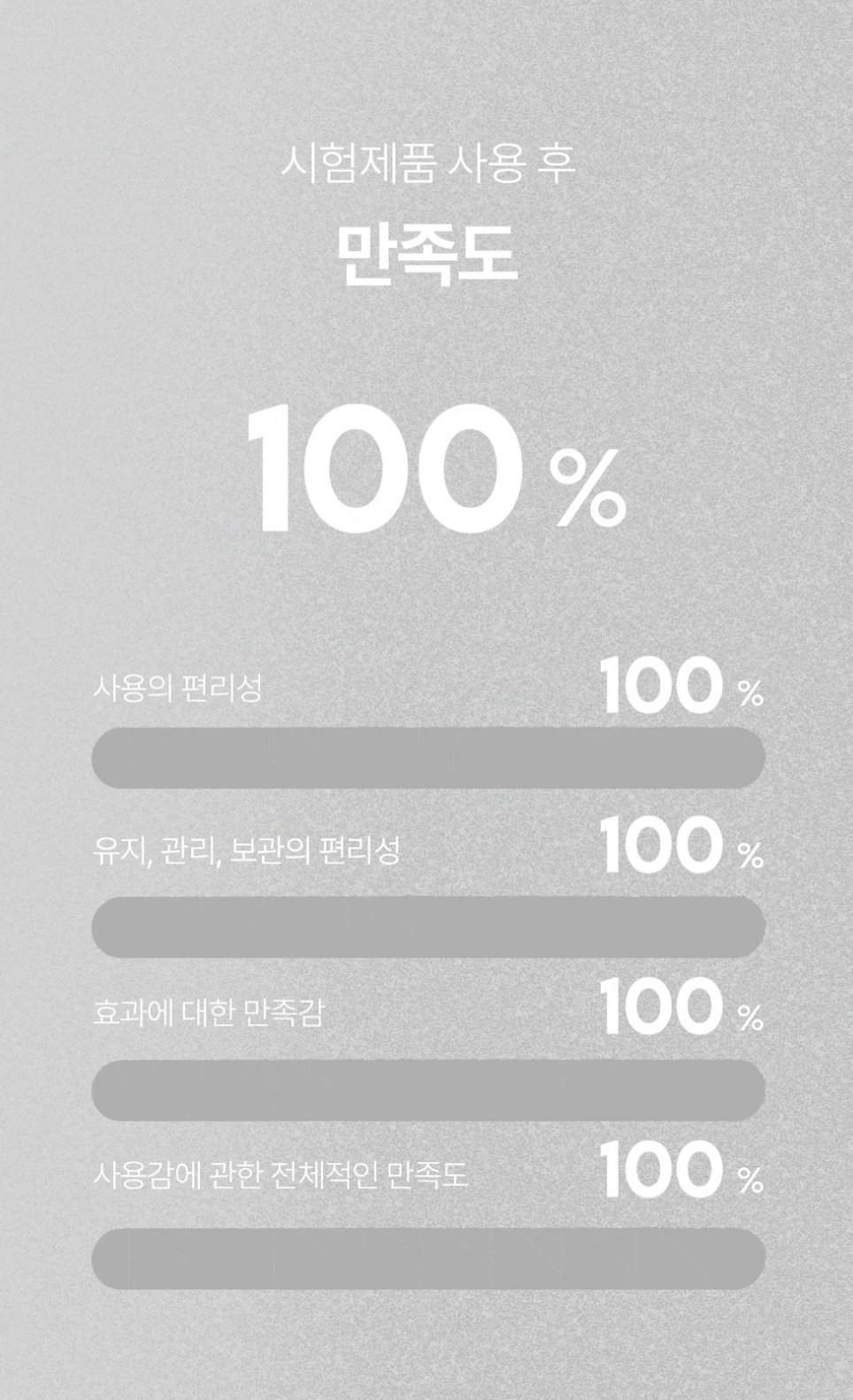
① Emphasizing Reviews and Verifications
This approach builds trust by placing evidence that supporters can verify for themselves—such as clinical data, actual measurement results, or user reviews—at the beginning. For products that raise significant doubts—such as “Does this really work?”—show evidence first, rather than making claims.
Case 1. Water Droplet Ultrasonic Beauty Device (1.11 billion won raised) |
|
|---|---|
 |
 |
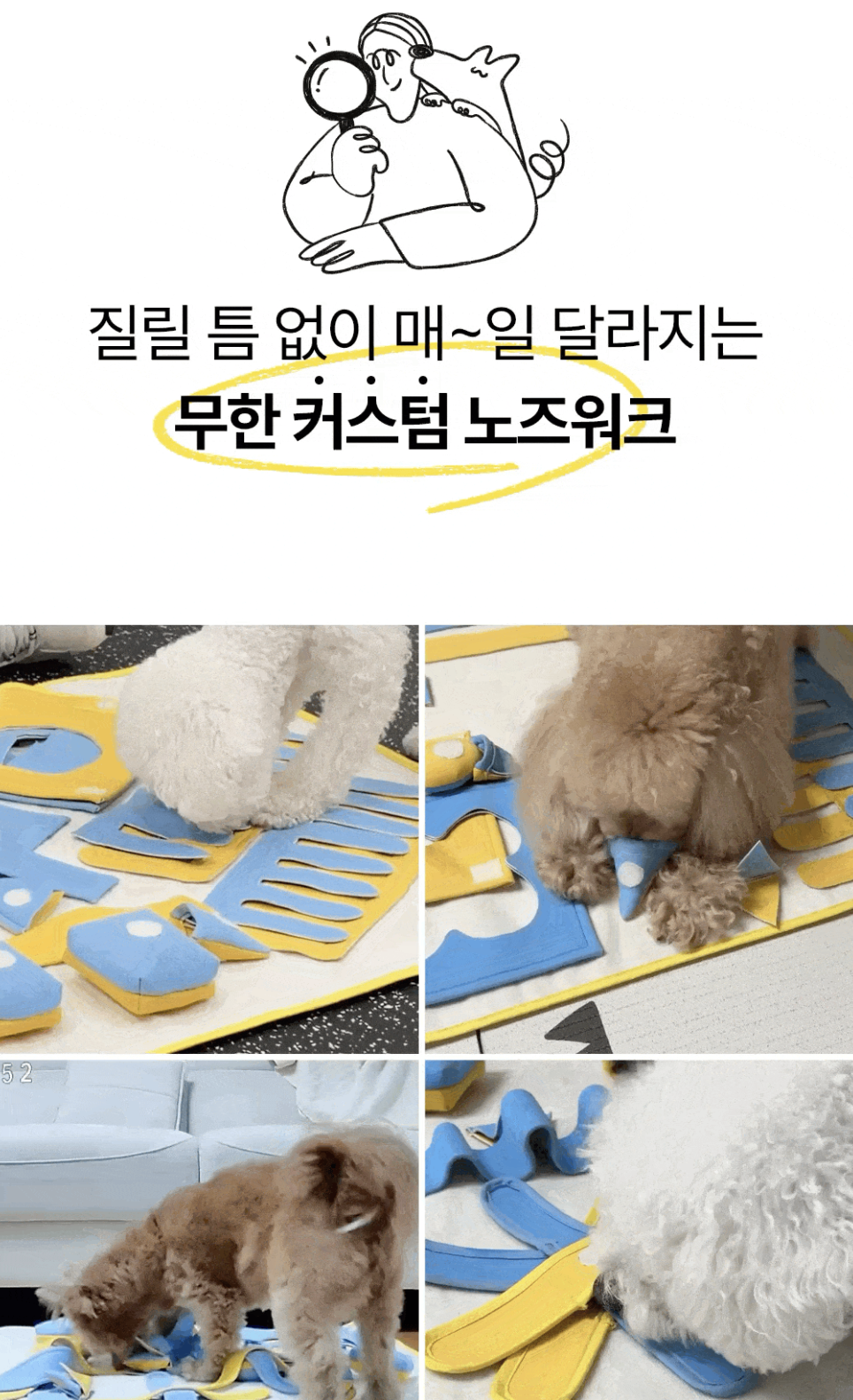
② Storytelling Type
This approach starts by highlighting the everyday frustrations supporters face, creating empathy by making them think, “Wait, is this my story?”. Rather than starting with a product description, present the problem → empathy → solution in that order, so they can naturally understand why they need the product.
|
Case 2. Nose Work Toy Designed by Veterinarian Seol Chae-hyun (85 million won raised)
|
|
|---|---|
 |
 |
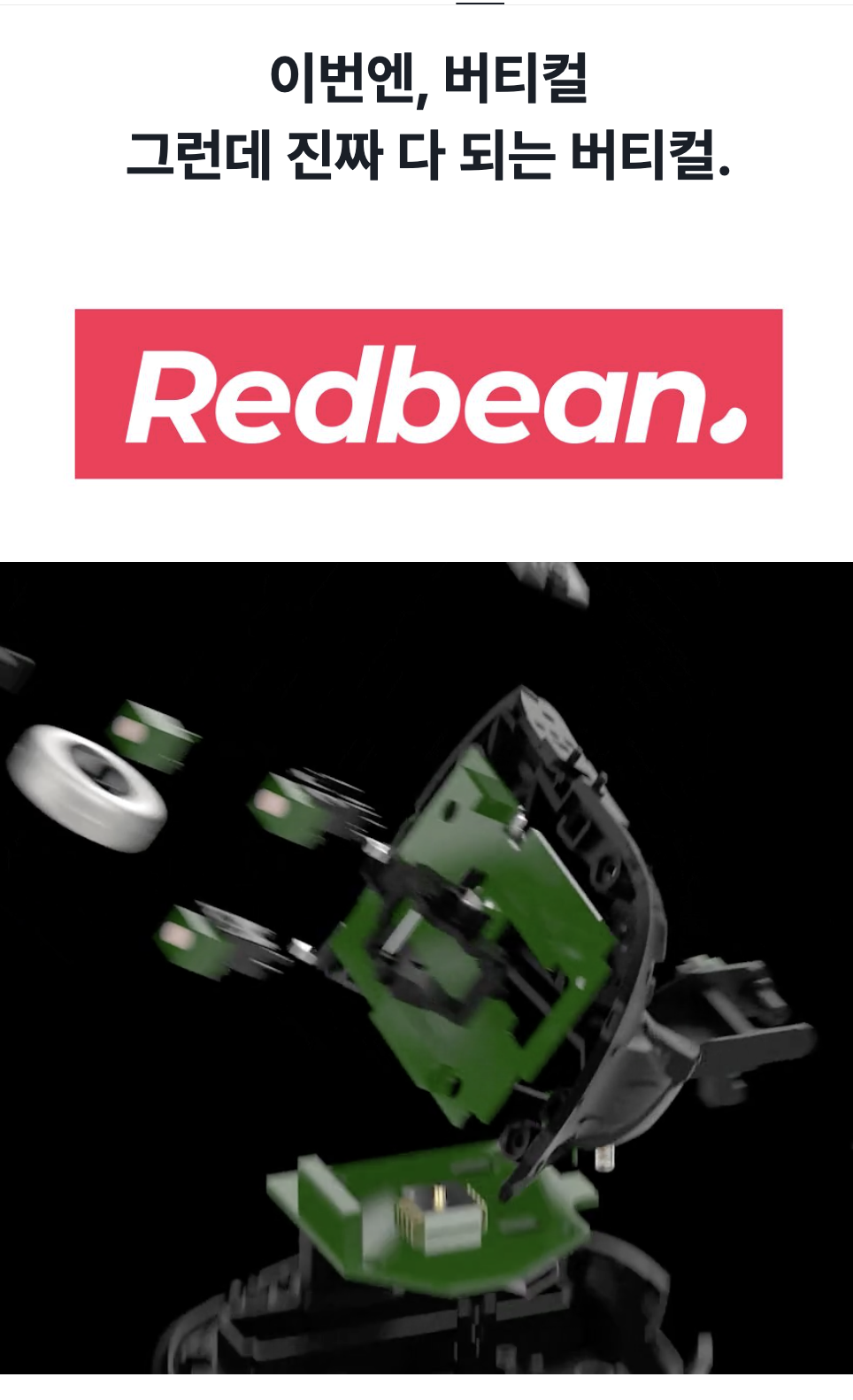
③ Strength Maximization Approach
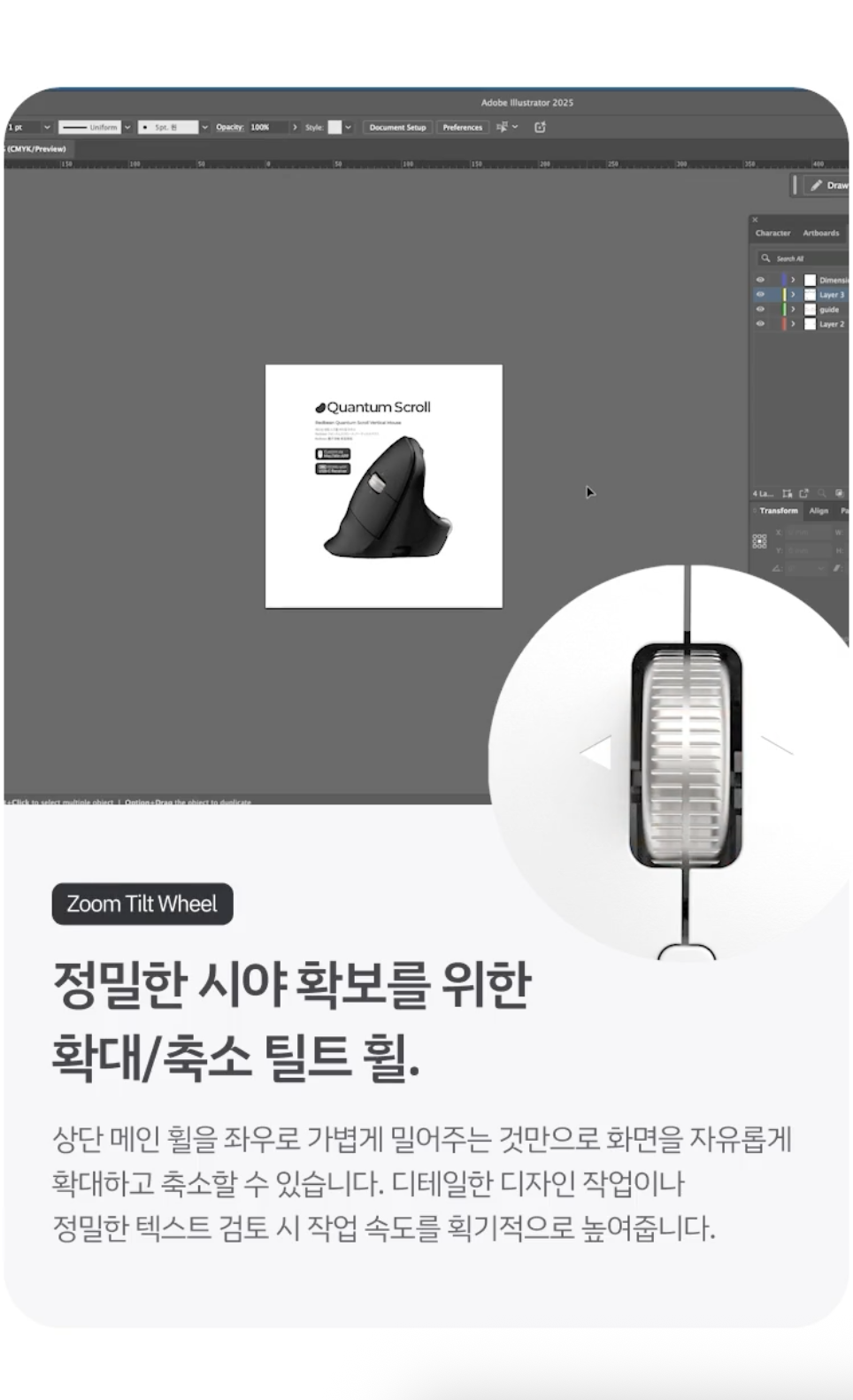
This approach is used when a product has clear differentiators, showcasing its core strengths in a compelling way. In particular, using animated GIFs to demonstrate just how convenient and useful these features are can be especially effective in convincing supporters.
Case 3. Infinite-Scroll Vertical Mouse (37 million won raised) |
|
|---|---|
 |
 |
3. Before Writing the Product Detail Page, Define Your Target Audience and Key Message First
If you start with copy or design right away when creating a product detail page for the first time, it’s easy to end up with a page that’s packed with information but lacks a clear focus. Before writing, decide on just two things first.
① Who are you speaking to?
Rather than defining your audience broadly—such as “women in their 20s,” “office workers,” or “pet owners”— you need to narrow it down specifically to. For example, even for the same tumbler, the target audience can vary.
- Office workers who find it annoying that coffee smells linger even after washing at the office
- Parents concerned about stains from their children’s drinks and cleaning them
- People who need a lightweight yet durable tumbler for workouts
The more specific your target audience is ,the clearer it becomes what image to present, which features to highlight, and what language to use.
❗Check the following when defining your target audience
- Who needs this product the most?
- When do they experience the most inconvenience?
- What are the drawbacks of the alternatives they’re currently using?
- What is the biggest reason they might hesitate to make a purchase?
② What should you communicate first?
The core message isn’t a sentence that summarizes all the product’s benefits, but but rather the single, strongest reason for supporters to choose this product.
- An eco-friendly, stylish, and durable tumbler → A ceramic tumbler that doesn’t retain coffee odors
- A mouse with various features → A vertical mouse that allows for endless scrolling without moving your fingers
Once you’ve determined your key message, it becomes easier to organize the images, GIFs, feature descriptions, reviews, and evidence on the product detail page in a way that supports that single sentence.
💡One-line summary before writing the product detail page
Introduce how [our product’s key differentiator] solves the [core problem] faced by [specific target audience]
Example: It reduces the discomfort of repetitive scrolling for office workers who use a mouse all day with its infinite scroll wheel.
Frequently Asked Questions
Q. If the product is good, isn’t it okay to keep the product detail page simple?
A. Well-known brands or familiar products can be understood with just a simple description. However, for products from a brand you’ve never seen before, it’s best to thoroughly explain the product’s purpose, unique selling points, and reasons to trust it on the product detail page.
Q. What’s the first thing you should do when creating a product detail page?
A. Before focusing on design or copy, first define your target audience and core message. If you can summarize in one sentence who the product is for and what problem it solves, it will be much easier to organize the images, GIFs, and feature descriptions afterward.
Q. How can you build trust if you don’t have impactful metrics, such as sales figures?
A. You don’t necessarily need project results. Show concrete evidence that builds trust in the product and the maker—such as product testing, user reviews, or the prototyping and improvement process.
Q. What are the image specifications and GIF upload size limits for the product detail page?
A. For images in the product detail page body, we recommend a width of at least 740px. To ensure smooth uploads, we recommend keeping images and GIFs under 2MB.
Q. What should I check on the funding page before launching the funding campaign?
A. Before launching the funding campaign, check the following: ① Are the target audience and key message clear? ② Are the product’s unique selling points immediately visible on the first screen? ③ Do the GIFs and images sufficiently explain the product’s usage scenarios and features? You can find more detailed information in therelevant content.
Q. Can I edit the campaign page after the campaign launches?
A. You can edit the following items yourself up to 10 times by requesting an AI review in the [Story] tab of Maker Studio.
- Project Title
- Featured Image
- Introductory Video/Introductory Photos
- Project Summary
- Project Story (Detail Page Body)
- Launching Soon Story (Note: Once the project has been published, the “Launching Soon Story” cannot be edited)
- Search Tags
The editing process is as follows.
- Edit content in the [Story] tab of Maker Studio
- Click the “AI Review” button → Automatic review begins
- After receiving the review completion notification
- You must click the [Apply] button for the changes to take effect on the actual detail page
Start your funding campaign and get up to 90% off fees
📌 If you’re creating a project, be sure to check out this content!
- A 4-Step Guide to Designing Product Detail Pages That Lead to Successful Funding
- Check Your Product Page Before Funding to Boost Results
- A Must Before Launch! Rewards Design Checklist
- Why Rewards Option Design Is Crucial for a Successful Wadiz Funding Campaign
Start with wadiz. Just Start on wadiz.